Linux commands for DevOps - Part 1
(Commands used in day-to-day activities) - Part 1

Print Working Directory :
This command will print your directory location, where you currently working

Change Directory :
cd path_to_directory--> display Change Path to directorycd ~or justcd--> Change directory to the home directorycd ---> Go to the last working directory.cd ..--> Change directory to one step back.cd ../..--> Change directory to 2 levels back.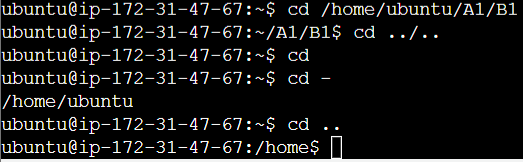
Make Directory :
mkdir newFolder --> make a new folder 'newFolder'
mkdir .NewFolder --> make a hidden directory (also . before a file to make it hidden)
mkdir A B C D --> make multiple directories at the same time
mkdir /home/user/Mydirectory --> make a new folder in a specific location
mkdir -p A/B/C/D --> make a nested directory


View / Modify Contents of File :
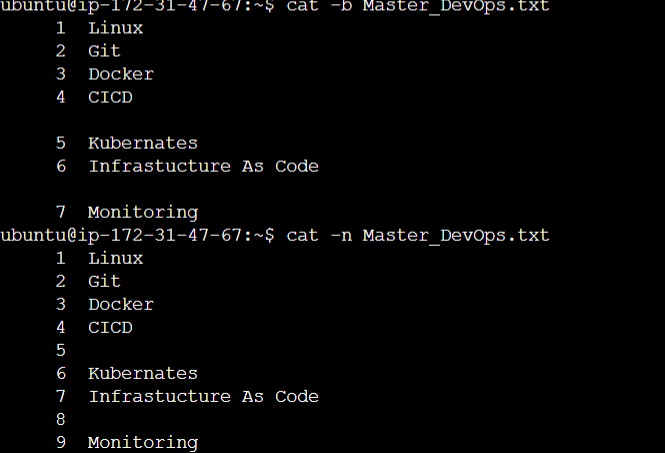
This is used to concatenate and display files on the terminal. It can also be used to modify existing ones.
cat -b: This adds line numbers to non-blank lines
cat -n: This adds line numbers to all lines
History :
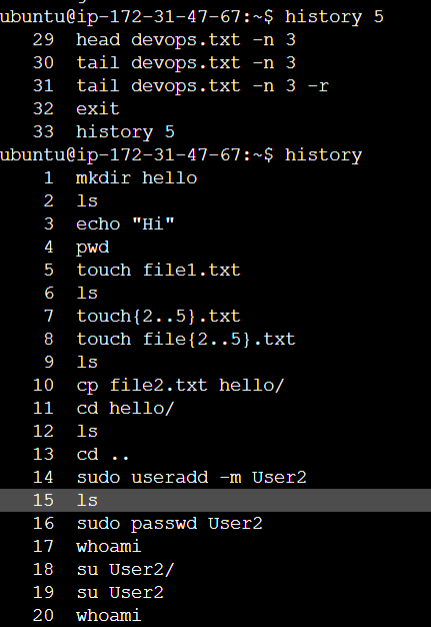
This command is used to view the previously executed command.
history :
history n : Will give you the last n executed commands
Remove :
rm [options] [file or directory name]
The different
rmcommand options include:-f: Forces the removal of all files or directories.-i: Prompts for confirmation before removing.-r: Removes directories and their content recursively
Top & Tail :
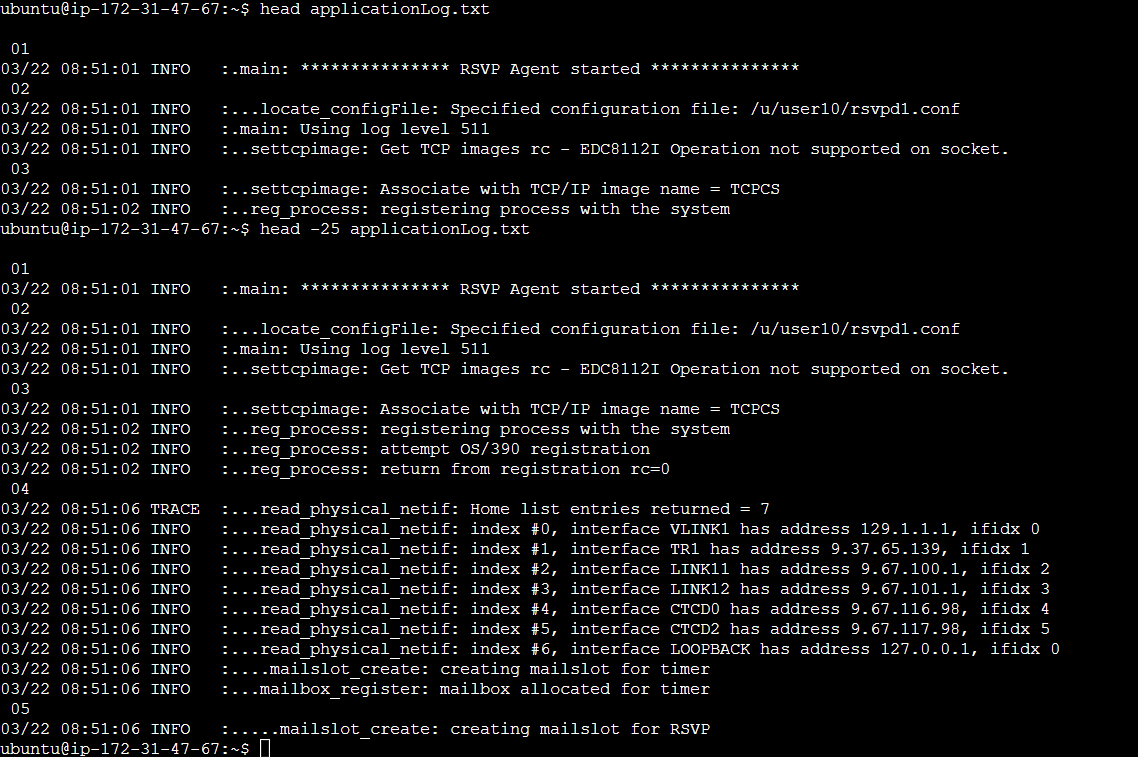
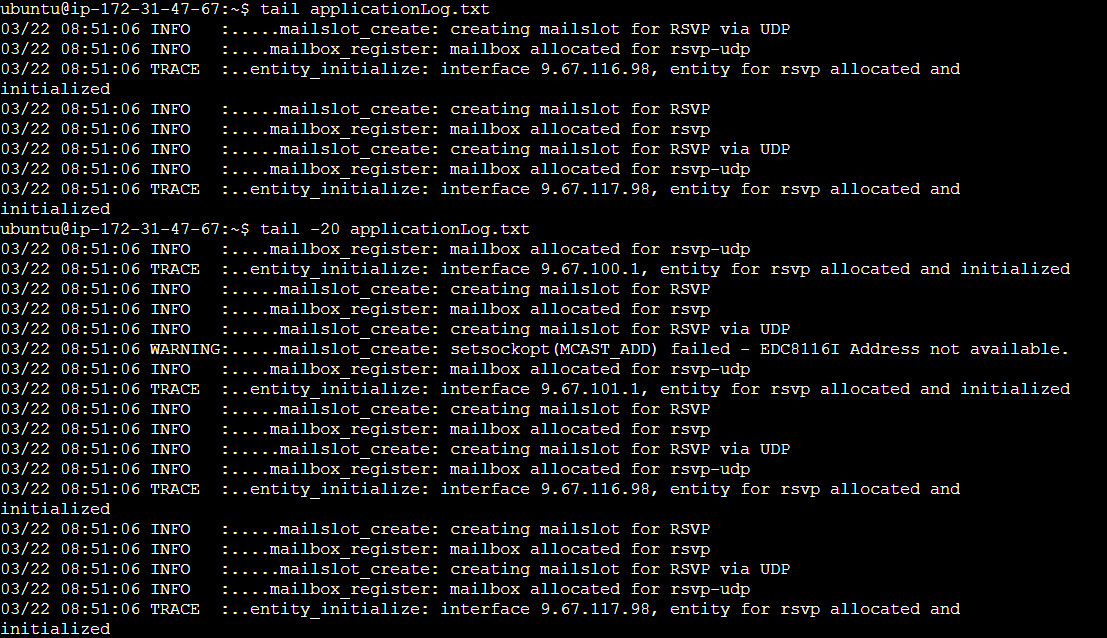
Show the top n or bottom n lines of the file. This is greatly useful for DevOps engineers to analyze log files
head filename (Default 10 lines are displayed)
head -n filename
tail filename (Default 10 lines are displayed)
tail -n filename
Diff:
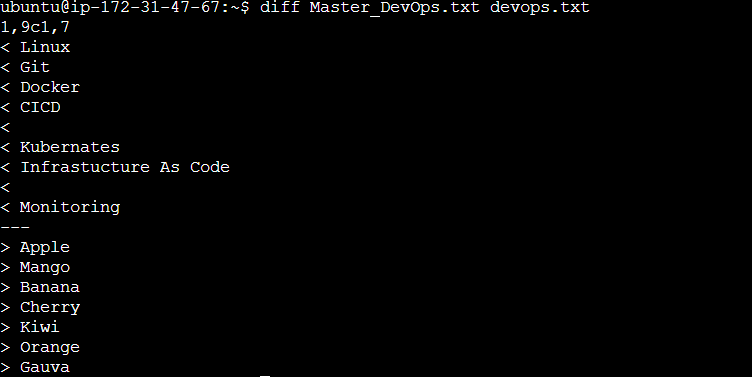
This command is used to find the difference between two files.
diff file1.txt file2.txt
Now that you've familiarized yourself with these essential Linux commands for DevOps, it's time to roll up your sleeves and put your newfound knowledge into practice. Consider setting up a virtual environment using tools like VirtualBox or Vagrant, or leverage cloud resources on platforms such as AWS, Azure, or Google Cloud.
Subscribe Now for:
Exclusive Content: Dive into advanced DevOps strategies and real-world case studies.
Trending Insights: Stay informed about the latest tools, technologies, and industry trends.
Practical Tips: Unlock actionable tips to enhance your DevOps practices and streamline your workflows.